Showing posts with label Design Team Work. Show all posts

Thursday, February 28, 2013

Lori Whitlock Blog Hop Giveaway!


Welcome Blog Hoppers!
I'm so happy to share with you some of the new two page layout I have created for Lori using her amazing templates  Lori has recently released some double page layouts in both SVG and layered Digital Scrapbooking PSD format.
The SVG files are designed to be used with Silhouette machines and can be found here in Lori’s shop.
For the digi scrappers these files also come as layered digital scrapbooking kits, and are found at here at Jessica Sprague . They have been created as layered PSD file which means you can use the pieces as clipping masks in Photoshop Elements and Photoshop. These are ready for you to add your favorite pattern papers, digital embellishments, and photos. Remeber you can mix and match any collections!

PSD FILES in the Jessica Sprague Store


The great thing about using a templete is it can be just a starting point and you can do whatever you like with it!

"Life is Good" layout by Lisa Barrie
"Sunshine in the Rain" by Lisa Barrie


"A Perfect Summer Party" by Lisa Barrie


and "Sunday Picnic" by Lisa Barrie

Without further ado, please let me show you the order of our blog hop today. These ladies are truly amazing and have shown you different ways to use these layouts, both digital format and SVG’s.  When you are done be sure to come back here and leave a comment so you can be entered in our drawing for a $20 gift card to Lori’s shop. She has amazing shapes there and more coming each week.
Don’t forgot to leave a comment here and on Lori's Blog about your favorite project for a chance to win a $20 gift card to Lori’s shop!
Here are my Projects: Life is Good, Sunshine in the Rain, A Perfect Summer Party and Sunday Picnic! So after you visit Roelien it's back to Lori Whitlock blog to comment!

Thank you so much for visiting and you can sign up to follow my blog to see more of Lori's new products and design inspiration!

Friday, January 4, 2013

Project Life Valentine layout

Lori Whitlock has some new items in here store and I created this Project life page using some of the journal cards and fun papers. In addition, I've added some elements from some of the other collections she's designed and they all go so well with each other which is why I always like to mix and match.


You can find the Kiss me and other collections here at Jessica Sprague. It's on sale 25% off through the weekend. For more information on Lori's designs you can visit her website at Loriwhitlock.com.

Here's a list of everything I used.
LW-KissMe-Ele-11
LW-KissMe-paper-08
LW-KissMe-paper-02
LW-KissMe-paper-04
LW-KissMe-paper-06
LW-KissMe-Ele-10
LW-KissMe-paper-09LW-Fresh-Air-Element-10
eph_summerdays_elements1_bird
eph_summerdays_elements1_orangearrow
eph_summerdays_elements1_funcircle
eph_hellosummerep1_redpinkbutterfly
eph_hellosummerep1_memories
eph_hellosummerep2_friends
eph_lovestory_bestfriendtag

Have a great weekend!


Thursday, December 27, 2012

Digital Scrapbooking: Using Brushes and Stamps

I hope everyone had a wonderful holiday! I did this page before I left for vacation and was in such a rush I didn't get to finish the post, so I'm doing a bit of catch up. I wanted to show you how to change a digital brush or stamp (an .abr file) into a sticker like I did for this layout.


You can find Lori Whitlock's Snowflake brushes here.


                               If you need more basic information on using a .png fle you can find it here.


Thanks so much for stopping by!

Monday, December 17, 2012

What Do You Do with Digital Scrapbook Pages?

I had a great question the other day from somebody who is new to digital scrapbooking. She wanted to know what I do with my designs once they are done.

I generally do one of three things with my digital pages. The first is I wait til the end of the year and I collect pages that have to do with everything we have done this year as a family, vacations, school, weekend whatever I have scraped that relates to the current year and I have a book made of them. Many times I go back and add extra journaling because I want to write to my daughter about the year and what I felt about this year of her life. I love to see the books lined up on her book shelf and it's fun to so back and see what we did that year. The books are so light compared to my huge, heavy traditional scrapbooks and I find them much more likely to be enjoyed and I use them as a reference to help me remember what year things happened.

When you want to have a book made there are many options, I think it generally has to do with personal preference and what styles are available. A couple of the most popular that I've tried are Shutterfly and Snapfish. I preferred the quality of Shutterfly. This is a great time of year to order books many sites offer substantial savings. For anyone looking to see the options compared, I've found a review of many here  the books are geared towards photographers and others but, this will give you a very through comparison.

The second option for me is a create a hybrid page. There are many examples here on my blog and I've gone back and created a hybrid label so you can see examples. A few of my all time favorite pages are included in this category. When I create a hybrid page I print out the background I've created using Photoshop and I print it out in either a 12 x 12 size or 8 1/2 x 11 size, I work in both formats. Next I print the papers and elements I use on Epson paper and I print my photos on Epson photo paper. You can see all the products on the Favorite Things tab on my blog the link is here. I'm going to add the photo books to this list in the next couple of days.


The last things I do with my pages has more to do with the fact that I'm married to a very "techie" guy. I have a product called Apple TV that plays photos and music with cool effects. But is basically a slideshow and I love to share my pages this way my family gets together over the holidays and I show my year in review slide show and everyone gets to see anything they missed holidays, special events, new photos and scrapbook pages. There are companies that are user friendly like iPhoto for mac users or Windows Movie Makers which allow you to play them on your TV,  iPhone, iPad or similar. They can be uploaded to YouTube or similar and I really enjoy seeing my pages like this and I highly recommending giving this a try! You can see one I made here.

If you'd like to subscribe to my Youtube channel click more info and there is a link to subscribe I'm planning a few videos so stay informed! 


Today is also Monday and I have some new layouts from Lori Whitlock to share.
Her files are available from her website or Jessica Sprague through Echo Park Paper.

These two page layouts are perfect for the center page of your photo books.


I created these with the new templetes that Lori is making in both .psd format and .svg format which is great news for Silhouette users.
Thanks for visiting and if you have any suggestions on what you like to do with your digital scrapbook pages please leave them in the comments!

Monday, December 10, 2012

Digital Scrapbooking Tutorial: Recoloring Alphas

Lori Whitlock has some beautiful new collections available both on her website and at Jessica Sprague. As part of her creative team I get to play with lots of beautiful goodies. Her new collection by Echo Park "Love Story" is AMAZING!! 
Here are my new layouts I created with them.


I wanted to show you how to get this misted look on the wood alphas I used.


Please excuse my messy writing, but it's an easy way to show the setting and the layers window. Open the letters you want to use, I used Kpertiets Wood Alpha from Designer Digitals. To give them an ombre misted look begin by locking the pixels so only the letter is effected. begin with a round soft brush with the opacity set at about 7%. Start at the bottom and and gradually add more color to the letters working your way up, going at dark as you want as you get to the top.


If you go too dark you can adjust the opacity or simple start over (love digital)


Here's the finished product.
I have a couple other quick shares using Lori's files.


The "Love Story" Collection is so versatile! 
Do you recognize the Lady Gaga lyrics? 
That's it for now, thanks for visiting and don't forget to check out Lori's store.


Wednesday, December 5, 2012

Digital Scrapbooking Tutorial

I have a new layout to share, this one was is for Paper Crafter's Corner and the team was asked to create a Holiday design and I fell in love with this Winter Wonderland Kit from Jady Day Studios. Many of my scrapbook friends have been surprised by my passion for digital scrapbooking that's taken me over the past year and I'm quite surprised myself. But to be honest, for me it was a natural evolution of my need to keep learning new things. Plus there are some really cool effects you can do digitally that you can't do with paper, scissors and glue.

Credits: Winter wonderland- Jady Day Studio, Designers Canvas by Captivated Visions, glitters styles- old man winter 

One of the cool effects on this page is the knit paper, I created an overlay with another print from the kit to make it look like a patterned sweater. I really like the final look!.

Here's how I did it.
The first step is to open a new file at 300dpi this one is 12 x 12.
Step two. Open the Winter Wonderland knit paper, next open the snow scene print and make sure it's over the knit paper in the layers file.
the last step is to adjust the layers styles, I chose darken but a few of them worked. You can use your down arrow to flip through the different styles to see what works best for you!


Dont' forget to stop by Paper Crafter's Corner this week for other great holiday layouts and inspiration. Thanks for visiting! 

Monday, November 19, 2012

Blog Hop Free SVG's from Lori Whitlock

Welcome to the 
Countdown to Christmas Blog Hop!

I'm so excited to share with you my projects made with Lori Whitlock's new Christmas This and That Collection she designed for Echo Park, you can can find it here at Jessica Sprague. 

The great thing about digital design is that you can work in so many different styles. The first one is a fantasy style with my sweet DD in a snow globe and the second one is a realistic painters tray, this one could easily be used as a hybrid design that could be cut with a Silhouette Cameo.

Click on the image to see larger view!

Ok! now on to the giveaway!


I'm thrilled to be able to give away a $10.00 gift card to one of you to spend a Lori Whitlocks Store and you can find it here! The store is overflowing with so many great files to help with all you holiday projects.
 But in order to win my card, I need to to answer a couple of questions!

Question #1 Do you own a die cutting machine and which one is it?
Question #2 Do you use Photoshop or similar like Elements?

Feel free to let me know anything you'd like me to cover on future posts if you'd like!

 Winner will me announced here and on my Facebook page on Friday at 9:00 PM Pacific Time!
You can sign up to follow my blog here so you don't miss the winning announcement!!


Thanks so much for playing along!
Here is the blog hop order in case you missed anyone, since you'll have a chance to win a gift card from each for us!

and of course Lori Whitlock!
Don't miss the 
 and save!!

For more Lori Whitlock ideas click on the Lori Whitlock tab in my blog index and see my past creations with her products!

See you soon!
Lisa

Free Silhouette SVG's Blog Hop Lori Whitlock

Tomorrow is the big day!! 
Starting at Midnight MST Come join our 

I'm super excited because Lori has given me and each of the other creative team members our very own $10.00 gift card to give away! 
All you have to do is comment here on my blog and answer two questions
So I can get to know you better!

Question #1 Do you own a die cutting machine and which one is it?
Question #2 Do you use Photoshop or similar like Elements?
Feel free to let me know anything you'd like me to cover on future posts if you'd like!

 Winner will me announced here and on my Facebook page on Friday at 9:00 PM Pacific Time!
You can sign up to follow my blog here so you don't miss the winning announcement!!
 Lori will be giving away

See you back here at midnight with two new projects!!

Digital Scrapbooking: Snowy Photos

Today at jessicasprague.com Lori Whitlock has new products to release. Her frosty Collection of 19 papers are on sale for $2.99. I love the bright colors in this collections, it goes so well with a snow scene and bright winter clothes.
Since I live in southern California and I have no snow pictures, my friend Natalie from the Lori Whitlock creative team was so kind to let me use these adorable pictures of her DD in this layout. I mean could her hat be any more perfect to match this layout? Thanks Natalie! 


You can find Lori's products here at Jessica Sprague and here on her website and don't forget to visit her Facebook page too!

 Tip for winter photos: Originally this photo didn't have any snow in it, but a quick swipe with a dynamic snow brush in Photoshop and voila!  a perfect snowy day.Here's what I use.


additional elements from designer digitals
Thanks so much for visiting and have a creative day!

Monday, November 12, 2012

Photoshop Digital Scrapbooking: New Lori Whitlock

I always look forward to Mondays and see what's new at Lori Whitlock's Blog. She has a wonderful team that I love being a part of. Here is what I made with her new collection of office papers. I was immediately drawn to the soothing palette of the beige, taupe and blues. 

Here's what I used for this project:

LW-Office-Oriented-Papers-7
LW-Office-Oriented-Papers 14
LW-Office-Oriented-Papers 29
LW-Office-Oriented-Papers-32
LW-Office-Oriented-Papers 31
LW-Office-Oriented-Papers 28
LW-Office-Oriented-Papers 19
eph_ftrdocumentedep1_camera
LW-School-Frames-and-Borders-1
LW-School-Frames-and-Borders-Frames-3
eph_hellosummerep1_cloud3
eph_n2s_ele1_lovethis
eph_n2s_ele1_look
EP-FTR-Element34.
EP-FTR-Element28
EP-FTR-Element19
eph_ftrdocumentedep1_time
eph_ftrdocumentedep1_camera
eph_ftrdocumentedep2_3
Layerworksno229 
Thanks so much for looking you can find Lori's products here at Jessica Sprague and here on her website and don't forget to visit her Facebook page too!

He's a fun way to change up an element to make an embossed look title,
start with an element like Lori's "For the Record" element.
 Begin by removing all the white with the magic wand tool (or similar)
Next adjust your settings as show.

Feel free to make the element as deep or smooth as you like. I recolored mine to please with the colors from the layout.
I hope you enjoy this quick tip and thanks for visiting!


Monday, November 5, 2012

Photoshop Digital Scrapbooking tutorial: Glass Effect

Lori Whitlock has a few release today with some absolutely gorgeous flourishes that are just perfect for layering. and I've layered three over each other for this design starting with a dark pink, then light pink and then the strong black to balance the heavy dark glass look frame. 
Today I wanted to show you how to take a basic element and give it a glass look.


I started with Lori's frame element.
LW-Fresh-Air-Element-28 Frame
before

Take the file and apply the style.

You can install .asl files like you install fonts, brushes or actions. There are many free sources available 

Some are easlier to use than others but it's worth investing some time and exploring. 
Thanks for visiting.
Lisa


Monday, October 29, 2012

I have a couple of new layouts to share including the supplies used.

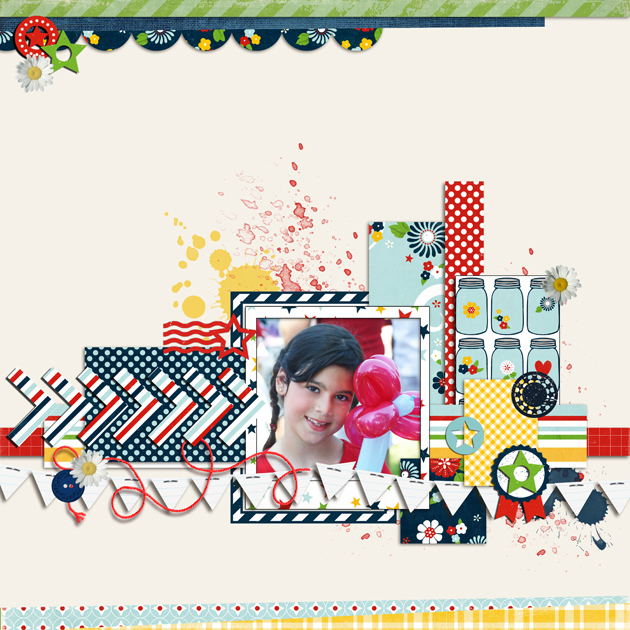
For this first one of my DD, she was about 4 and it was taken during the Fourth of July Parade in our town. Lori's Partriot Picnic line is just perfect for this and I love that it's appropriate anytime and doesn't scream the fourth. It's so sweet and girl next door.
Here's what I used:
Here is the list

LW-Office-Oriented-Findings-1-01
LW-Office-Oriented-Findings-1-08
LW-Office-Oriented-Findings-1-22
LW-Office-Oriented-Findings-1-03
LW-Office-Oriented-Findings-1-06
LW-Office-Oriented-Findings-1-23
LW-Office-Oriented-Findings-2-17
LW-Office-Oriented-Findings-1-20
LW-Patriotic-Picnic-Paper-01
LW-Patriotic-Picnic-Paper-02
LW-Patriotic-Picnic-Paper-03
LW-Patriotic-Picnic-Paper-05
LW-Patriotic-Picnic-Paper-06
LW-Patriotic-Picnic-Paper-07
LW-Patriotic-Picnic-Paper-08
LW-Patriotic-Picnic-Paper-09
LW-Patriotic-Picnic-Paper-10
LW-Patriotic-Picnic-Paper-11
LW-Patriotic-Picnic-Paper-12
eph_ftrtailoredpp2_greenstripes
eph_happydays_pp1_yellowplaid
dbaldwin-lovemyct6-Kristin
marisa-lerin-daisy-asset-white-yellow-flower-embellishment
Remember many of the items are recolored so they may not look exactly the same.


 Here is my DD with my in-laws they are the most wonderful people and I treasure them!
Here's what I used here:

LW-Office-Oriented-Findings-2-10
LW-Office-Oriented-Findings-2-23
LW-Office-Oriented-Findings-2-22
LW-Office-Oriented-Findings-2-25
LW-Office-Oriented-Findings-2-15
LW-Office-Oriented-Findings-2-06
LW-Office-Oriented-Frames-2
LW-Office-Oriented-Border-9
eph_ftrdocumentedpp2_creamledger
eph_happydays_elements2_stripedscallopborder
EP_LifeIsGood_Card_5
EP_LifeIsGood_Card_6
EP_LifeIsGood_Card_7
EP_LifeIsGood_BorderStrip_1
EP_LifeIsGood_BorderStrip_3
eph_ftrtailoredep2_bluetab
LW-Autumn-Afternoon-Tag-05
eph_t&tchristmasep2__chevron (recolored)
eph_ftrtailoredep2_library
eph_ftrtailoredep2_buttons
eph_ftrdocumentedpp1_yellowdots.jpg
LW-Autumn-Afternoon-Paper-02.jpg
eph_ftrdocumentedpp1_greenflowers.jpg

Well that's it for now thanks for stopping by!
If you're on the East coast please keep safe!!

Tuesday, October 23, 2012

Photoshop Scrapbook Tutorial: Create Custom Planner

On Monday for Lori Whitlock's Blog I created a planner for the New Year and I wanted to share some tips on customizing it.


To start I want to show you how easy it is to recolor the pages from Lori's Planner. The files are PDF's and they can be open in Photoshop.
Then, all you have to do is use the color picker tool and choose the color you would like to use. Next use the paint bucket tool to fill the area. Make sure the contiguous box is not check, so all the area with black will be changed. The black banner at the top is an easy spot to fill.


 and here is the after! I added a few of the Maggie elements to the top just to add a little more fun!


I hope you have a great time customizing this awesome planner you can find it here and here!

Wednesday, October 17, 2012

Lori Whitlock Blog Hop! Freebies and Giveaway!

Welcome to the Awesome Autumn
Blog Hop!

Here is my layout I made with two of Lori's Fall collections
and you can get them now for 30% off your entire purchase!


30% OFF sale Oct 18-23
$20 Gift Card Giveaway on Lori's blog and

FREE "Thanksgiving" banner!


Blog Hop Lineup 


and don't forget to